How to use webhook
FeatureProbe provides the ability to push messages to third-party applications.
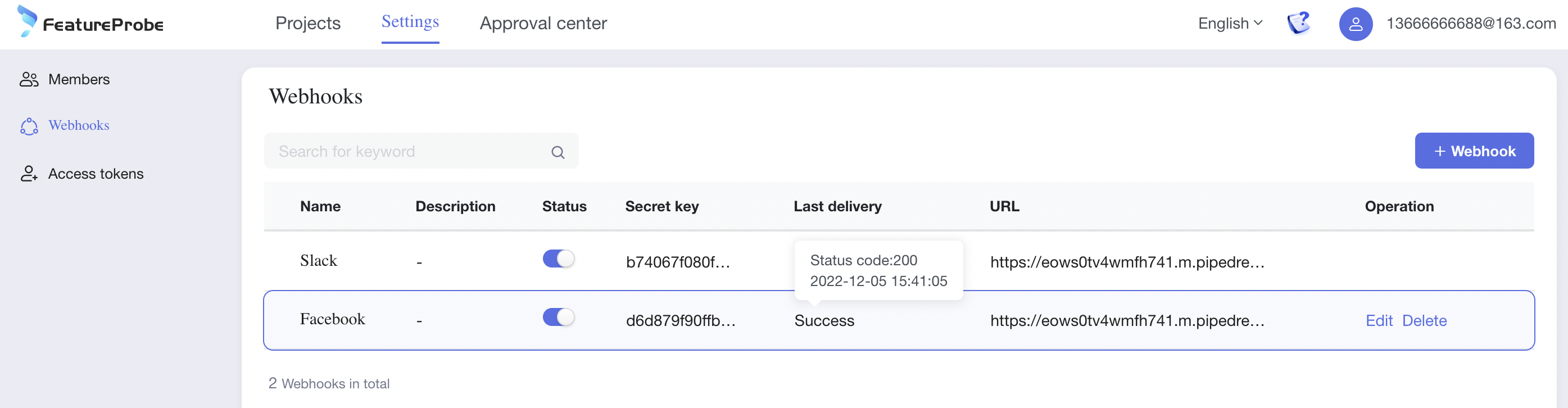
Create WebHook
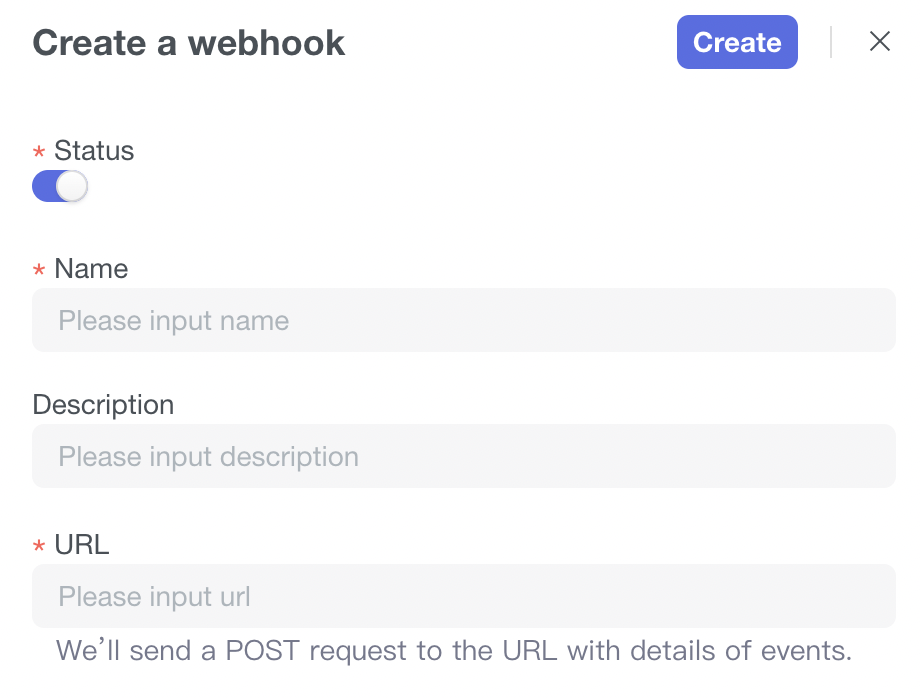
- The status of the WebHook (the configuration content of the WebHook will take effect only after it is enabled)
- Fill in the WebHook name
- Fill in the description information
- Fill in the URL (when a certain event occurs, we will send a POST message to this URL)
- Click the Create button to complete the creation of the WebHook.
Edit WebHook
After the WebHookURL is changed, we will send a POST message to this new URL when certain events occur.
Delete WebHook
After removing the WebHook, we will stop sending any POST messages to this URL.
Access WebHook
For more access content, please refer to WebHook access document